All articles
Getting started
Planning
Links
Guides
- UTM naming conventions for teams and agencies
- UTM parameters explained
- Campaign launch without broken links
- Planning QR codes for print
- Switch agencies without losing data
- Google Campaign URL Builder or a UTM builder for teams
- UTM links for agencies: running client campaigns cleanly
- UTM management: what it is and when a team needs it
- UTM parameters in Google Ads, Meta and LinkedIn
Campaign calendar
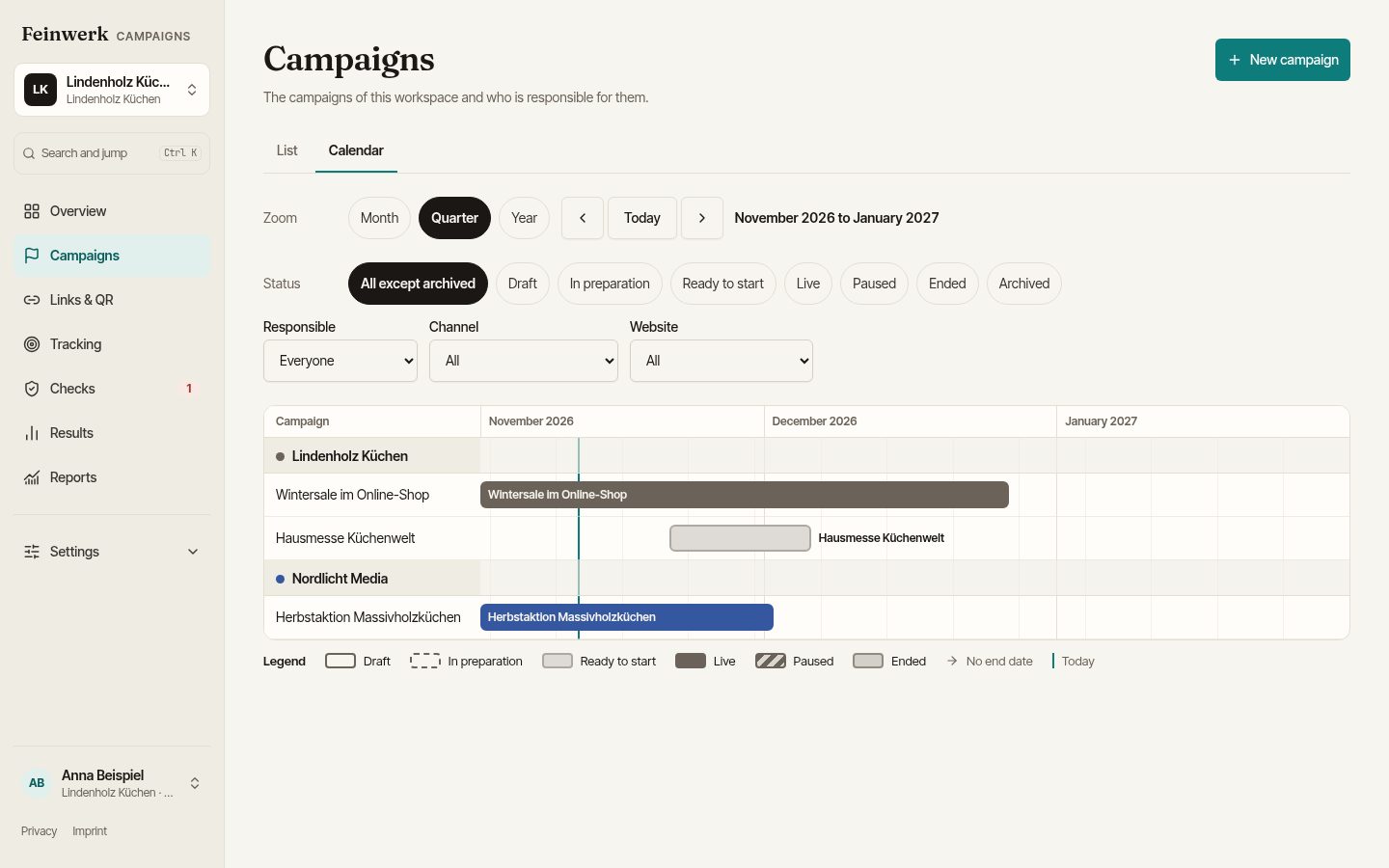
The campaign calendar shows all campaigns of a workspace on a timeline: who plans what and when, and what is live right now. Open it under Campaigns with the Calendar tab next to List, or from the overview through the calendar link under the next steps.
What the calendar shows
- One bar per campaign from start to end, the last day included. Clicking the bar opens the campaign.
- Rows are grouped by the responsible organisation, each in its colour. A line marks today.
- The legend explains the display: draft outlined, in preparation dashed, ready to start lightly filled, live in full colour, paused hatched, ended muted with a border, and an arrow for campaigns without an end date.
- Campaigns without dates are listed below, in a section of their own.
Period and filters
With the zoom you choose month, quarter or year; the quarter is the default. The arrows page through time, and today jumps back. Above, the period shown is named.
You can filter by status (default: all except archived), owner, channel and website. The filters are part of the page address, so you can pass a view on as a link, for example all live campaigns of one agency.
Who sees what
The calendar shows the same campaigns as the list. An agency sees only its own campaigns, and the filters offer only what the person may see. If the period has no campaign, the calendar says so and, for people who may create campaigns, offers a new one.
On a phone the calendar shows a list by month, each entry with its period, status and organisation.
Change dates in the campaign itself, not by dragging in the calendar. There is no calendar subscription.