All articles
Getting started
Planning
Links
Guides
- UTM naming conventions for teams and agencies
- UTM parameters explained
- Campaign launch without broken links
- Planning QR codes for print
- Switch agencies without losing data
- Google Campaign URL Builder or a UTM builder for teams
- UTM links for agencies: running client campaigns cleanly
- UTM management: what it is and when a team needs it
One agency, many clients
An agency with twenty clients launches campaigns every week. Each client has their own websites, rules and contacts, and each wants to know what their campaign achieved. The process should be the same for every client, and the data should stay cleanly separated.
The situation
Nordlicht Media serves Lindenholz Küchen and other clients. Links are built in spreadsheets, one per client. Before the start someone checks the landing pages by hand if there is time. Numbers go to the client as a Matomo export by e-mail, and questions come back by e-mail.
What goes wrong
- Every launch looks different. What was checked depends on who happened to have time.
- Mistakes cost budget. A redirect drops the parameters and the visits land under "Direct" until the monthly report shows it.
- The proof is missing. When the client later asks why a link looked the way it did, the agency searches old e-mails.
- The data sits with the agency. When the relationship ends, the client has to request everything, and trust suffers long before that.
How it works with Feinwerk Campaigns
Every client gets a workspace of their own. You work with all clients in one login and switch clients at the top left. You manage yourself who on your team works for which client.
There are two ways. If your client already has a workspace, they invite your agency and you work in their standard for free. If they have none yet, we set it up for you during the pilot: your client becomes the owner and grants your agency access. They can take the workspace over at any time, even if you set it up. Creating clients yourself Planned and templates for convention and checklist at agency level Planned are planned.
Every launch follows the same process: links by the client's convention, an instant check of every landing page and the start checklist. The check finds lost parameters, wrong site IDs and expired certificates before the budget starts running. Only when every item is done does the campaign become ready to start.
What you can measure and prove
- Proof of your work: every check, every approval and every change is in the history. When someone later asks why a link looked the way it did, you have the answer.
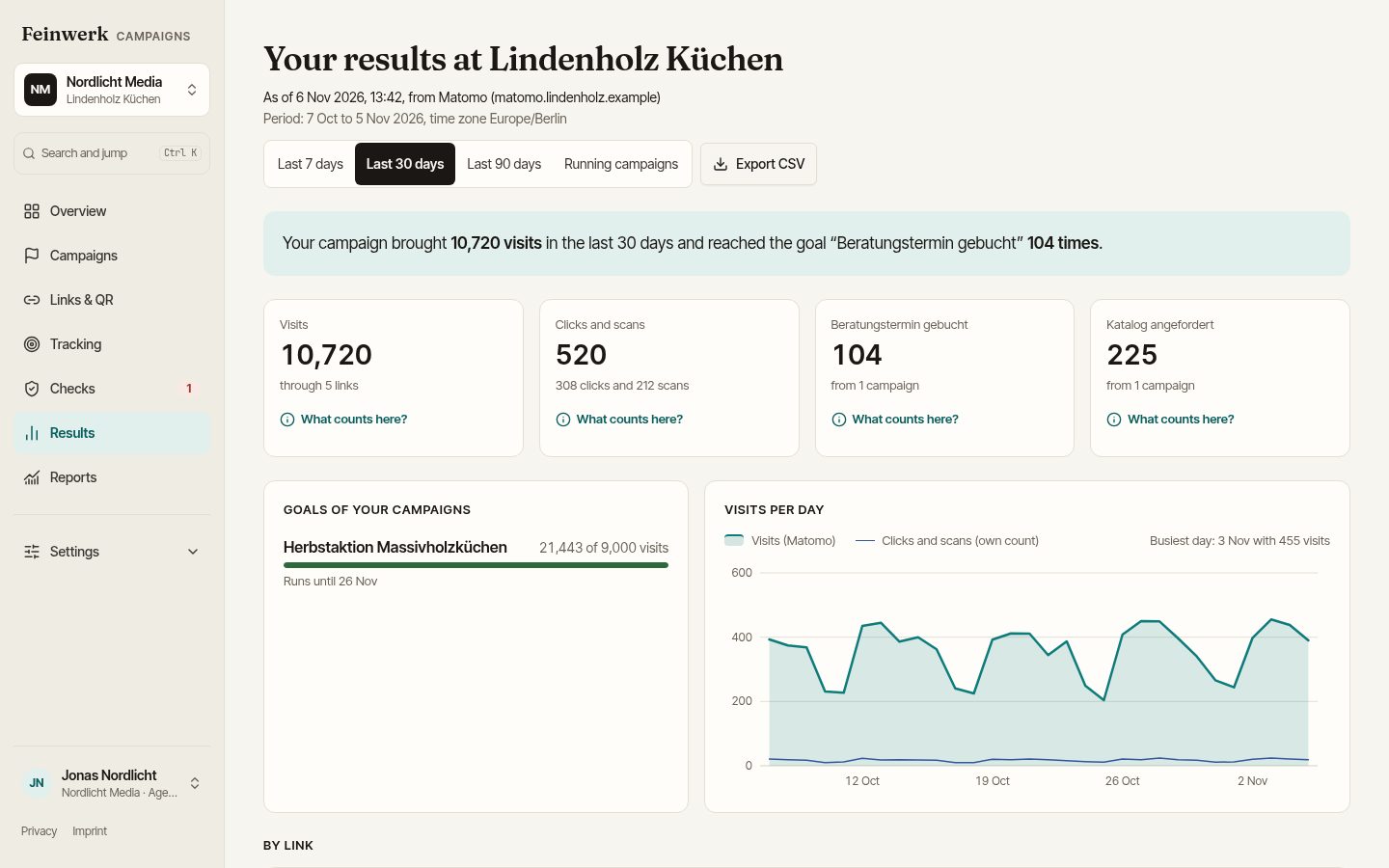
- The client finds their numbers: the results page explains every number: what is counted, where it comes from, for which period.
- The weekly overview on Monday: live campaigns, numbers against target, failed checks and open requests, for you and, if you like, for your client.
- One process for all clients: whether your client uses Matomo or not, planning, links, checks and documentation work the same everywhere.
If your agency needs support with tracking for your clients, Sonora Consulting offers consulting for agencies.
Next step
Both ways are described in detail on the page For agencies. How to launch without broken links is shown in the guide Campaign launch without broken links. To join the pilot, use the pilot page.