Campaigns your client can verify.
Every client gets a workspace of their own. Every campaign starts checked and documented, your client reads along and finds their numbers on their own.
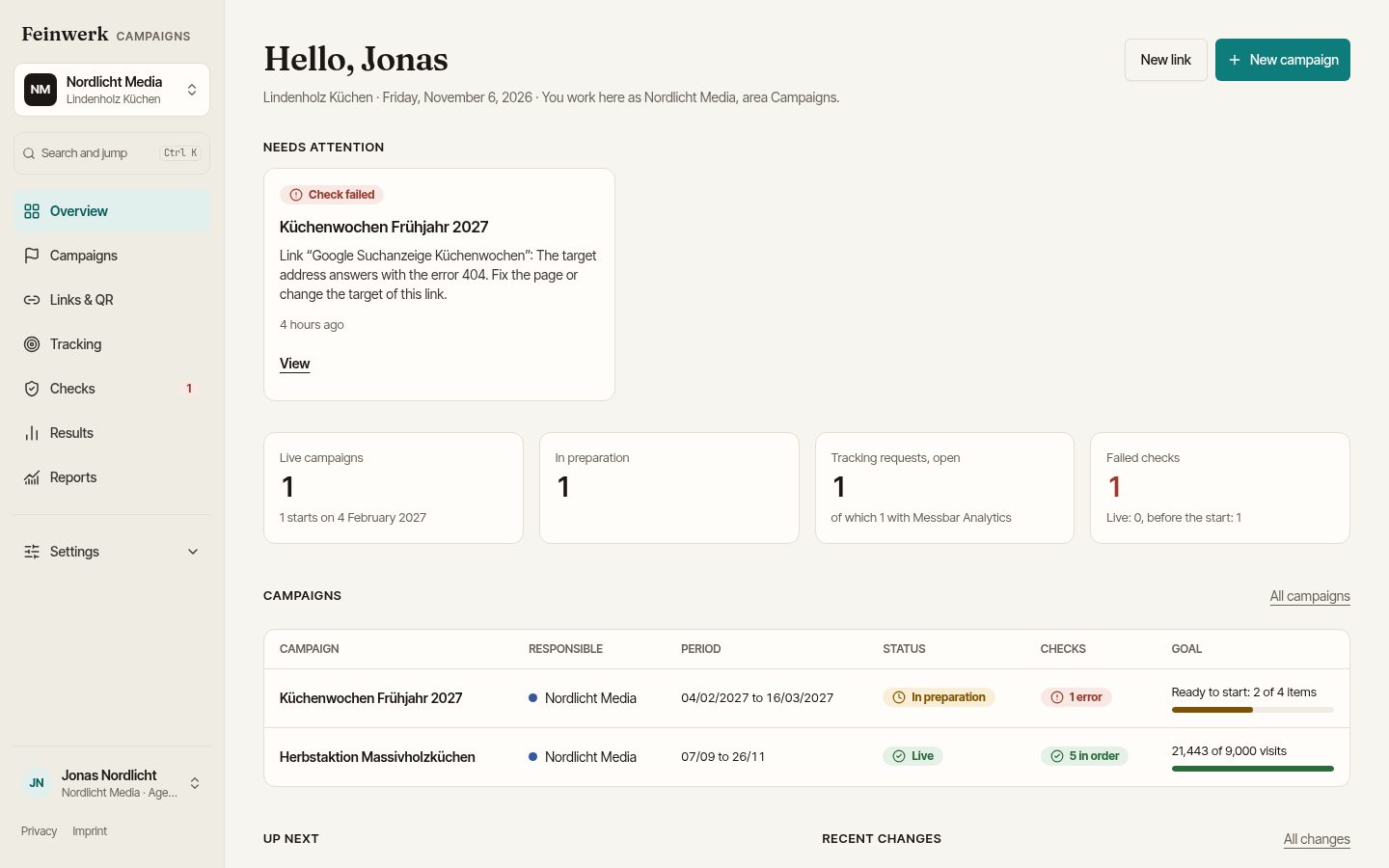
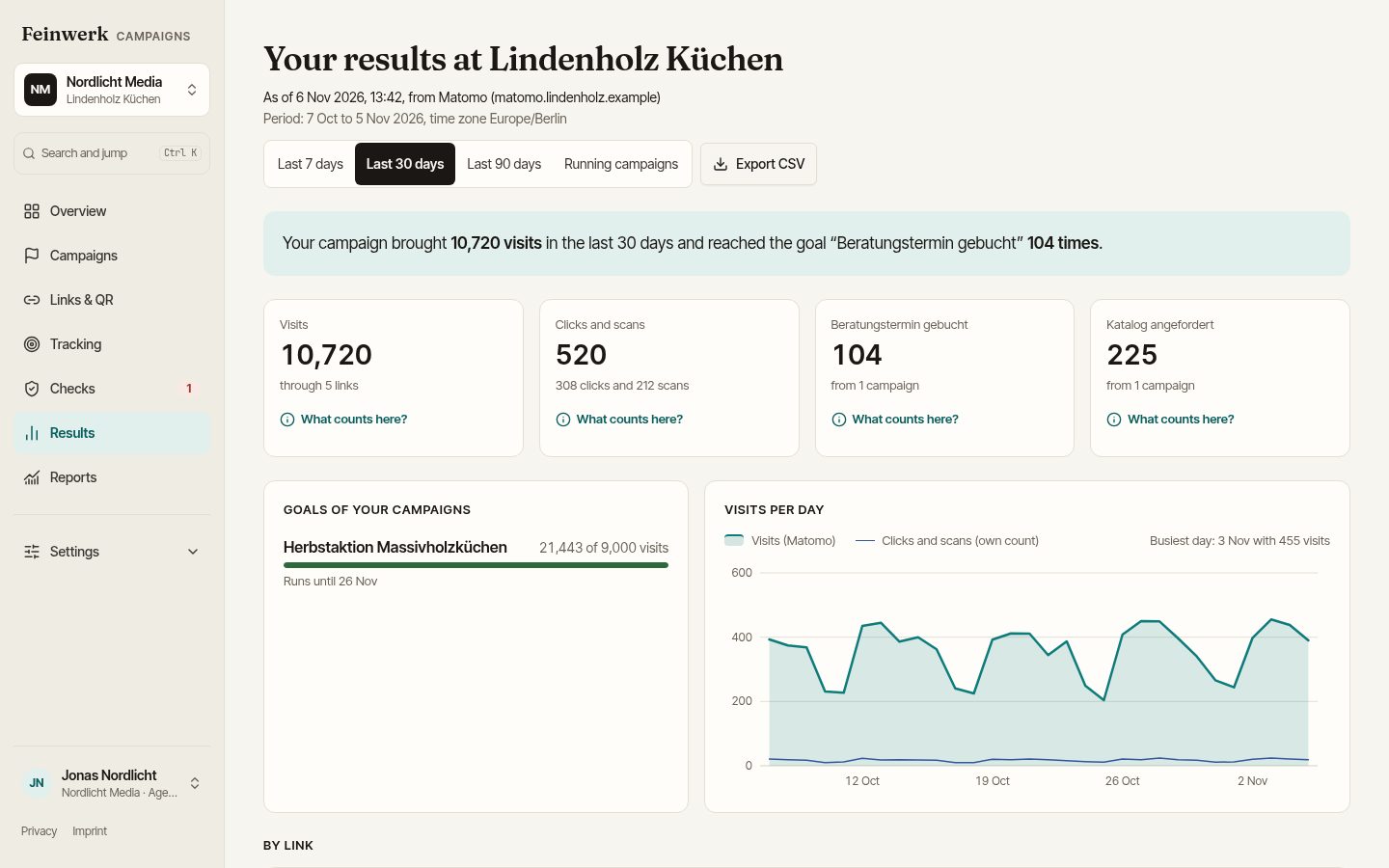
Invited or set up for the client.
Your client has a workspace and invites your agency. You work in their standard, with your own team and your own login.
- All clients in one login, with a client switcher at the top left
- You manage who works for which client on your side
Your client has no workspace yet? We create it, your client becomes the owner and grants your agency access. Your client reads along, you run the campaigns.
- During the pilot we set up your clients for you Live
- The client stays the owner of their data and can take the workspace over at any time
- Create clients yourself, straight from your own access Planned
- Partner terms with volume discount and one invoice Planned
- Templates for convention and checklist at agency level Planned
- Your own domain and look for your clients Planned
Fewer queries, more proof.
Proof of your work
Every check, every approval and every change is in the history. When someone later asks why a link looked the way it did, you have the answer.
The client finds their numbers
The results page explains every number: what is counted, where it comes from, for which period. No Matomo export by e-mail.
The weekly overview on Monday
Live campaigns, numbers against target, failed checks and open requests. For you and, if you like, for your client.
No broken start
The instant check finds lost parameters, wrong site IDs and expired certificates before the budget starts running.
Tracking without e-mail ping-pong
You request what your campaign has to measure. Whoever implements it sees the request with its status, you see the progress.
One process for all clients
Whether your client uses Matomo or not: planning, links, checks and documentation work the same everywhere.
"Your data belongs to you. If you change agencies, you take everything with you."
You can promise this to your client. They own the workspace and can take it over at any time, even if you set it up. That is exactly why saying yes to your proposal gets easier for them.
From proposal to first campaign.
- 01
Set up the workspace
Name, time zone and websites with their domains. During the pilot we take care of this for you.
- 02
Define the convention
Sources, media, patterns for campaign names and channels. Together with the client.
- 03
Connect Matomo
Optional: map websites to Matomo sites and adopt goals and events.
- 04
Invite the client
They read along, see the start checklist and receive the weekly overview.
How to run UTM links cleanly for many clients, with one convention per client and one process for all, is shown in the guide UTM links for agencies.
More in our use cases: One agency, many clients Several agencies, one standard All use cases
What agencies want to know.
Who owns the data if we set up the workspace?
The client. They are the owner and can take the workspace over at any time. If you part ways, they keep campaigns, links and tracking documentation, and your access ends like that of any invited agency.
Who creates the workspace during the pilot?
We do. During the pilot we set up your clients for you: we create the company and workspace, your client becomes the owner and grants your agency access. Creating them yourself is planned.
Does our client see other agencies or their numbers?
Your client sees everything in their workspace. With campaign access, an agency sees only its own campaigns and results, not those of other agencies.
Does our client have to use Matomo?
No. Links, checks, inventory and clicks work without an analytics tool. With Matomo you add results per link.
Can we use our own convention for all clients?
Today you set it up per workspace. Templates at agency level that you adopt for new clients are planned.
Start as a pilot.
We take on a small number of marketing teams and agencies and set up the first workspace together with you: convention, websites and, if you have it, Matomo.