Requests with a status, instead of e-mail ping-pong.
You implement tracking, for companies or for their agencies. Here you see what has to be measured for which campaign, report back the state and record what is installed on each website.
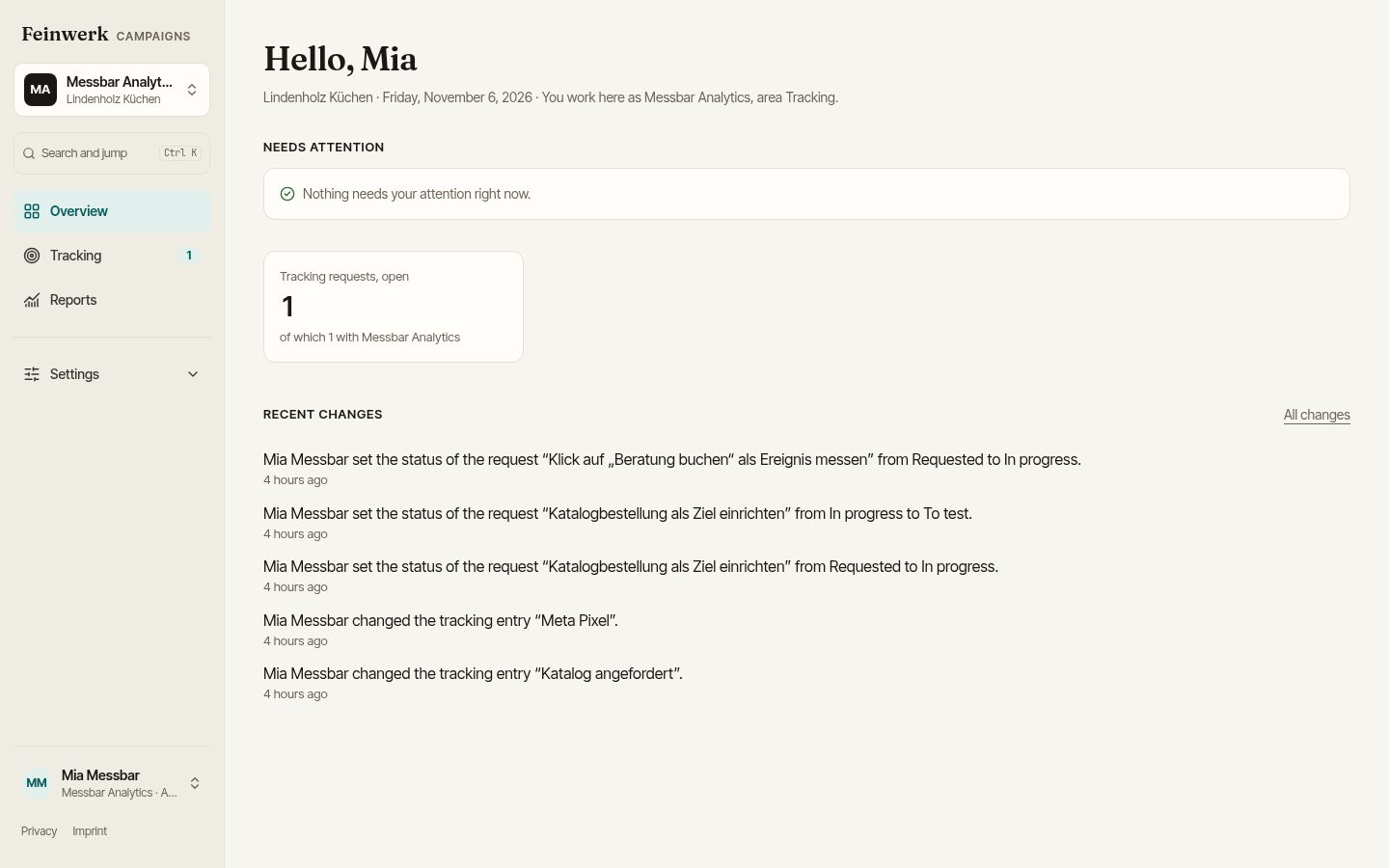
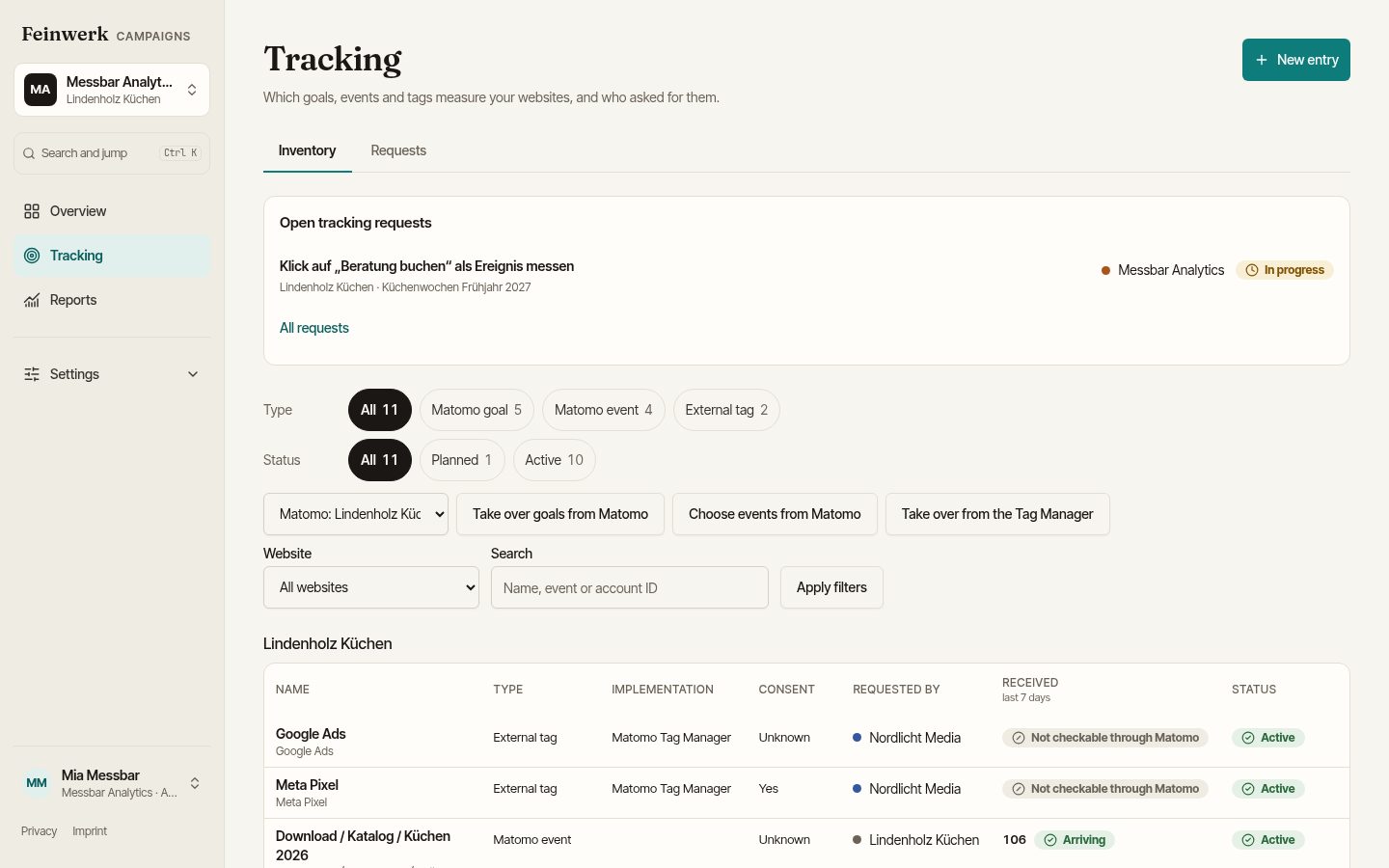
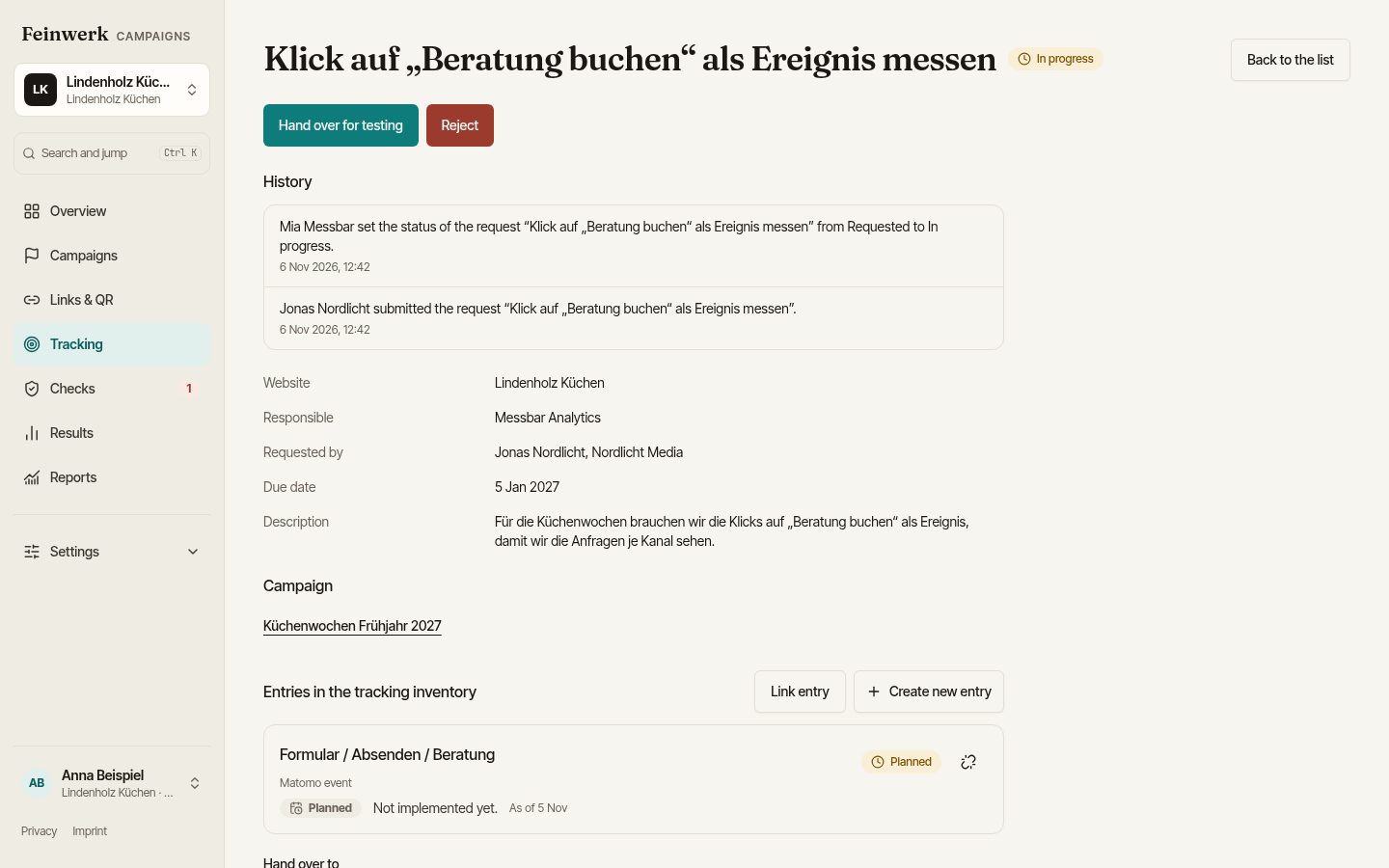
One request, one place, one clear state.
Requests in one place
The agency or company describes what should be measured and for which website. You no longer dig through e-mail threads.
Status instead of queries
Every request carries its state. Whoever asks sees without asking whether you are on it or whether testing can begin.
Inventory per website
Matomo goals, events and third-party tags with purpose, consent category and owner. One list instead of many notes.
Access for tracking only
You get exactly the access your work needs: tracking only, and on request for individual websites only.
Does the event arrive?
With Matomo the platform checks whether a newly implemented event is actually counted. "Implemented three days ago, arrived zero times" shows up early.
Your documentation stays
What you document stays in your client's workspace, with a history of who entered what and when. Even when the engagement ends.
Four stations, each with a name.
requested
An agency or the company describes what has to be measured for which campaign. You receive the request with all details in one place.
in progress
You have taken over the request and are implementing the tag, goal or event. Everyone sees that it is being worked on.
to test
The implementation is done. Now it is checked whether the measurement works, before the campaign starts.
ready
The measurement is running. It is listed in the website's tracking inventory, and the campaign can become "ready to start". Open requests hold the start back until an admin approves an exception with a reason.
Every tag with a name and a reason.
Every website has its own inventory. It shows what is measured, why, under which consent and on whose request. A request becomes an entry with your documentation.
Matomo and third parties
Matomo goals and events sit next to pixels and conversion tags of advertising and analytics tools.
Purpose and consent
Every entry names the purpose and the consent category. That is the basis for the privacy policy and the consent banner.
Origin stays visible
Each entry shows who requested it. When a collaboration ends, it is clear what should stay and what can go.
More in our use cases: Tracking providers: requests instead of e-mail ping-pong All use cases
Exactly as much as your work needs.
Access for tracking providers is deliberately narrow. You see what you need to implement, and no more.
Everything for the implementation
- All tracking requests for the websites you are cleared for, including who requested what
- The tracking inventory of those websites, to read and edit
- For every campaign with a request: name, period, websites, responsible agency, link targets and check results
- Comments and history on the requests
- The arrival check, when Matomo is connected
Everything else stays closed
- Budget, costs and results of campaigns
- Briefing text and files
- Comments outside the requests
- Websites you are not cleared for
Less checking by hand.
Import from Matomo Tag Manager
The live version of your containers is only read, nothing changes in Matomo. Recognised tags (Matomo events and goals, Meta Pixel, Google Ads, LinkedIn, TikTok and more) appear in the inventory, one row per account, the trigger as a sentence. For the company and the tracking agency.
Browser check of the landing page
Every instant check also opens the landing page in a real browser. The check reports whether Matomo counts with the right site ID, whether the tracking code is missing and whether it waits for consent. No visits are created.
What providers want to know.
How do I get access?
The company or agency you work for invites you to the workspace, with access for tracking only and, on request, for individual websites only.
Do I have to use Matomo?
No. Requests, status and inventory work for any tool. With Matomo you add the arrival check, which shows whether a new event is counted.
Do I see the campaign results?
No. Budget, costs and results of campaigns stay hidden from you, and so do briefing text and files. You see what you need to implement and test: the requests, the inventory and, for every campaign with a request, name, period, websites, link targets and check results.
What happens to my documentation when the engagement ends?
It stays in your client's workspace. Your access ends, the entries and their history remain.
Start as a pilot.
We take on a small number of marketing teams and agencies and set up the first workspace together with you: convention, websites and, if you have it, Matomo.