All articles
Getting started
Planning
Links
Guides
- UTM naming conventions for teams and agencies
- UTM parameters explained
- Campaign launch without broken links
- Planning QR codes for print
- Switch agencies without losing data
- Google Campaign URL Builder or a UTM builder for teams
- UTM links for agencies: running client campaigns cleanly
- UTM management: what it is and when a team needs it
Several agencies, one standard
One agency runs paid search, a second one social media, your own marketing team the newsletter. Each agency does good work, but each brings its own way of naming links. At the end of the month all campaigns are meant to sit in one report, and that is exactly where you see whether the shared standard has held.
The situation
Lindenholz Küchen works with Nordlicht Media for paid search and display, with a second agency for social media and with its own marketing team for newsletter and trade fairs. The naming convention lives in a spreadsheet that every agency received at the start. New values are agreed by e-mail, and each agency sends its results as a separate export.
What goes wrong
- Every agency spells differently. The report shows "newsletter", "Newsletter" and "nl" side by side, and one channel falls apart into several rows.
- The spreadsheet goes stale. Whoever builds a link under time pressure does not look it up but writes from memory.
- Each agency sees too much or too little. Either everyone gets access to everything, or numbers go back and forth by e-mail.
- Nobody knows who is responsible. When a campaign goes wrong, the search starts in inboxes.
How it works with Feinwerk Campaigns
The company defines the naming convention once in the workspace: allowed sources and media, patterns for campaign names and the mapping of every medium to a channel. Each agency builds its links in the link builder and picks the values from your list instead of looking them up. If a value is missing, the agency requests it and an Admin of the workspace approves it. From then on it applies to everyone.
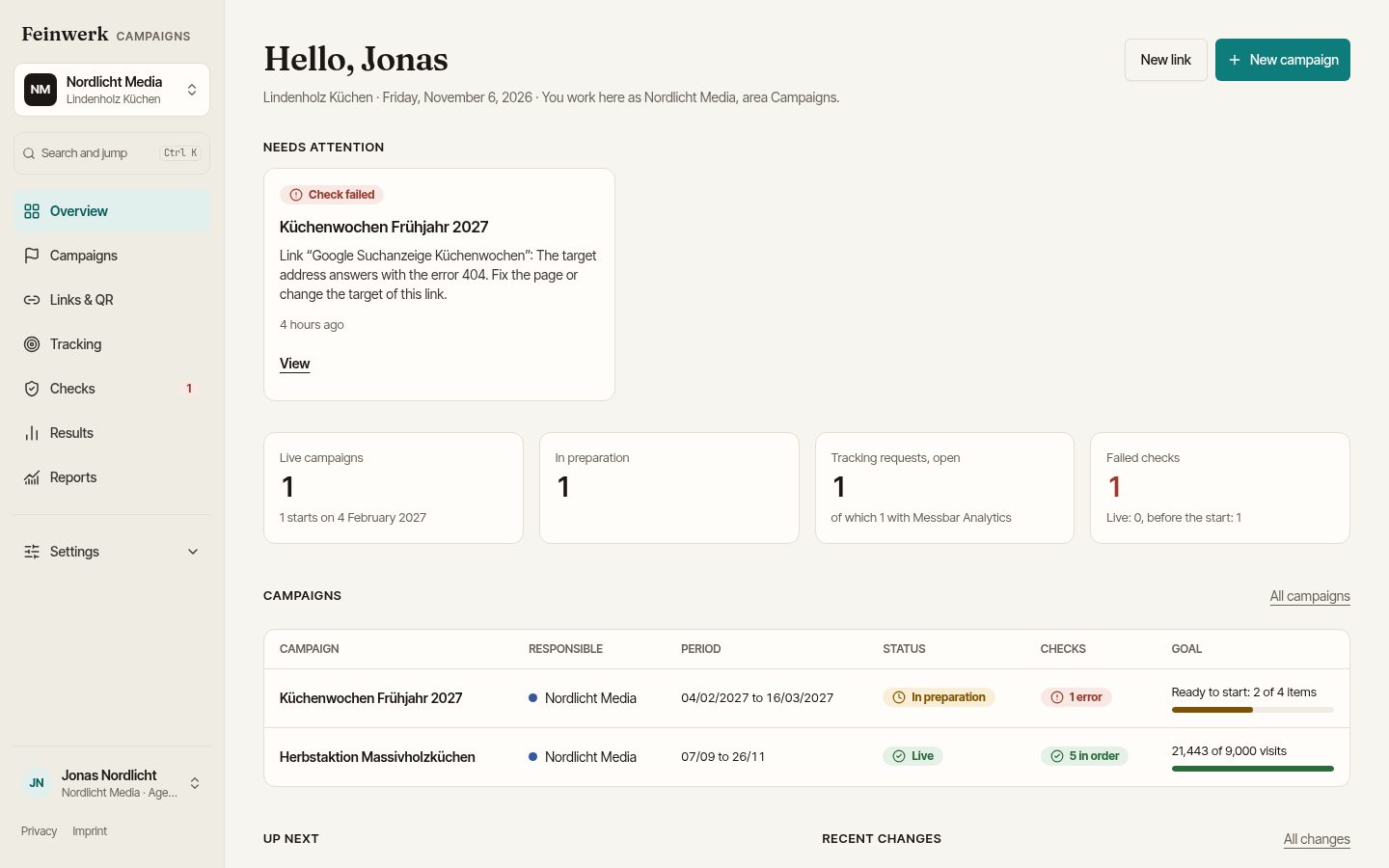
You invite every agency for free, with the area Campaigns and, if you like, only for individual websites. Each agency sees only its own campaigns and results; budgets and numbers of the others stay invisible. For every campaign it is clear who is responsible: your team or exactly one agency.
What you can measure and prove
- One report for everyone: all campaigns land in the same channels, the same report and the same history, no matter who built the link.
- Results per link: with Matomo you see visits and conversions per link and placement, with KPI targets and an explanation for every number.
- Who changed what: every approval and every change is in the history, including those made by agencies.
- The overview on Monday: the weekly overview goes to every agency and to the company, with running campaigns, the key numbers, failed checks and open requests.
How to group the same channels cleanly inside Matomo itself is shown in the use case Group marketing channels in Matomo in the store for Plugins for Matomo, with Feinwerk Channel Grouping.
Next step
How companies work with teams and agencies is described on the page For companies. How to introduce the standard is explained in the guide One naming convention for all teams and agencies. If you would like to try this with your agencies, get in touch through the pilot page.