All articles
Getting started
Planning
Links
Guides
- UTM naming conventions for teams and agencies
- UTM parameters explained
- Campaign launch without broken links
- Planning QR codes for print
- Switch agencies without losing data
- Google Campaign URL Builder or a UTM builder for teams
- UTM links for agencies: running client campaigns cleanly
- UTM management: what it is and when a team needs it
Set up the naming convention
The Naming convention decides which names campaign links may use. It stops reports from showing "Newsletter", "newsletter" and "nl" as three different sources. An Admin of the workspace maintains it. Editors and agencies read it and can request new values, see Request and approve values.
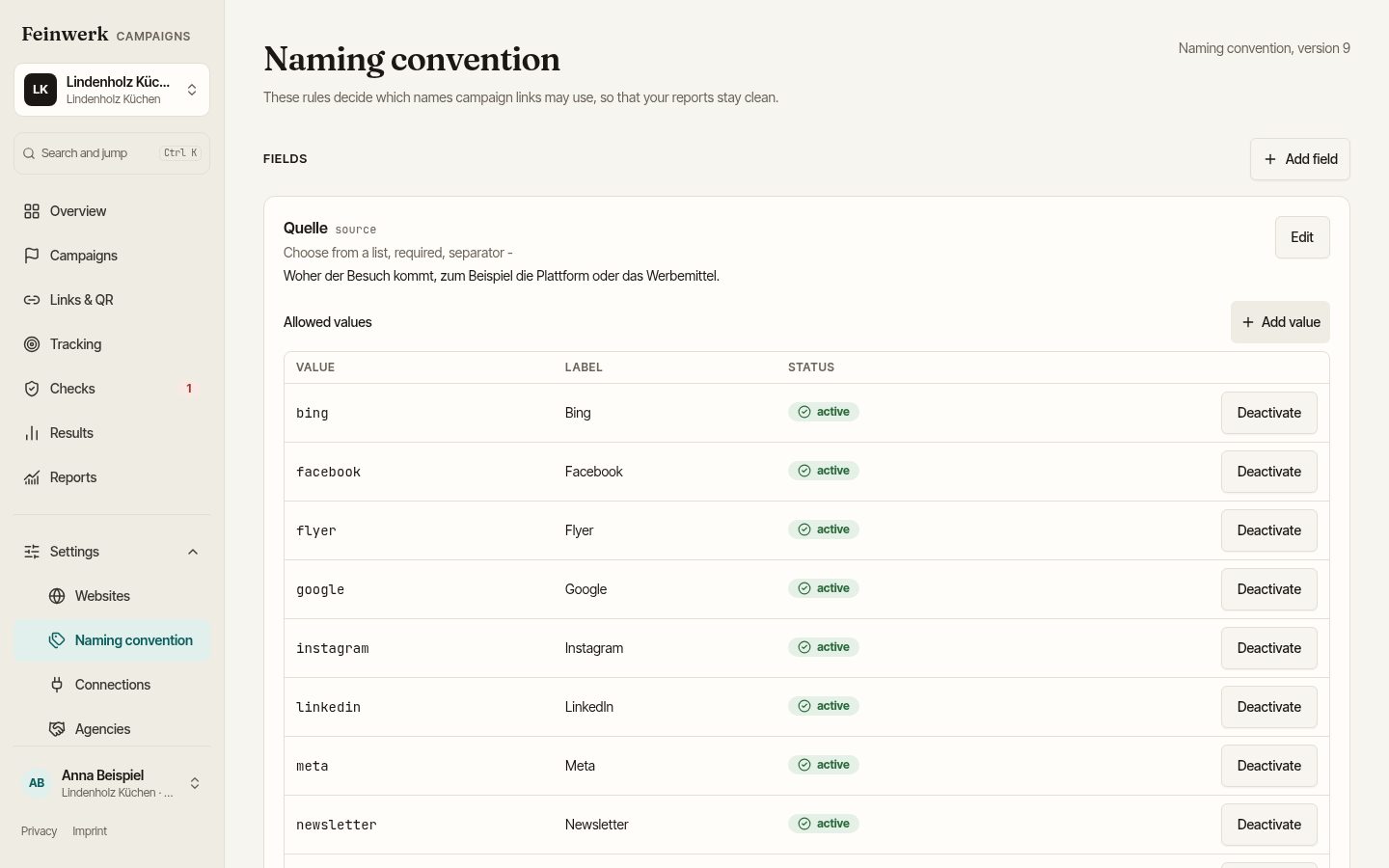
What the convention contains
Every workspace starts with five fields:
- Quelle (source): where the visit comes from, for example Google, newsletter, poster. Choice from a list, required.
- Medium: the kind of channel, for example e-mail or print. Choice from a list, required. Every medium belongs to a channel.
- Kampagne (campaign): built from a pattern, by default
{year}_{name}, so year, separator and name. - Inhalt (content): tells ads or variants apart. Free text, optional.
- Begriff (term): search word or audience. Free text, optional.
The names of these fields and the labels of the preset values are workspace data and start in German. An Admin can rename the fields with Edit field. The labels of the preset values stay as they are; deactivate a value and add your own instead. An Admin can also add further fields, as a list or as free text. They appear in the link builder and go into the link as utm_<key>.
All values are written in lowercase letters without special characters. "Frühling" becomes fruehling. In the list, people see the Label ("Partnerseite"), in the link the Value (partner).
Step by step
- Open Naming convention under settings.
- Under Fields, check which fields are required or optional. With Edit you change label, pattern, Help text, Separator and Maximum length in Edit field.
- For a list field, open the Allowed values and add what your company needs with Add value. Enter Value and Label. For a medium, also choose the Channel.
- A value is no longer wanted? Choose Deactivate. Existing links stay as they are.
- Check the version at the top. Every change of the rules raises the version.
Example
Lindenholz Küchen has Nordlicht Media run ads on a kitchen portal. The Admin adds the value kuechenportal with the label "Küchenportal" to the source field. The agency's name does not belong in source or medium, otherwise the channel splits into several rows in the report. The campaign name of the autumn promotion then reads 2026_herbstaktion. Anyone who types "Küchenportal" in the link builder sees at once whether the value is allowed.
As soon as a part of the pattern (for example the name) gets its first allowed value, it becomes a fixed selection. New campaigns can then only use values from the list.
The separator of a field can no longer be changed once it has values. A standard field cannot be deleted. If you delete a field you added yourself, existing campaigns keep their names.