All articles
Getting started
Planning
Links
Guides
- UTM naming conventions for teams and agencies
- UTM parameters explained
- Campaign launch without broken links
- Planning QR codes for print
- Switch agencies without losing data
- Google Campaign URL Builder or a UTM builder for teams
- UTM links for agencies: running client campaigns cleanly
- UTM management: what it is and when a team needs it
Trade fairs and print with QR codes
Print cannot be corrected. If 5,000 flyers carry a QR code that leads to a wrong or broken page, the money is gone and the stand at the fair sends visitors nowhere. With print, more than anywhere else, the rule is: check first, then print.
The situation
Lindenholz Küchen exhibits at a trade fair. The marketing team plans a poster at the stand, a flyer to take away and a roll-up at the entrance. All three are meant to lead to the trade fair promotion on www.lindenholz.example. After the fair the team wants to know which medium brought visits.
What goes wrong
- One code for everything. If poster, flyer and roll-up carry the same code, you only see the total, not what worked.
- The landing page is not finished. The code goes to print while the page is still being rebuilt, and a redirect drops the parameters.
- The code is too small or too pale. It cannot be scanned at the stand.
- Nobody tested. The mistake surfaces on the first day of the fair.
How it works with Feinwerk Campaigns
In the link builder the team creates a link of its own for every medium, with its own placement such as poster-stand, flyer-fair and rollup-entrance. Source and medium come from the convention, for example the medium print. For every active link you create a static QR code. It contains the full address and depends on no other service. Colours, quiet zone and error correction can be set, and you download the code as SVG, PNG, PDF or EPS, with a note on the minimum width.
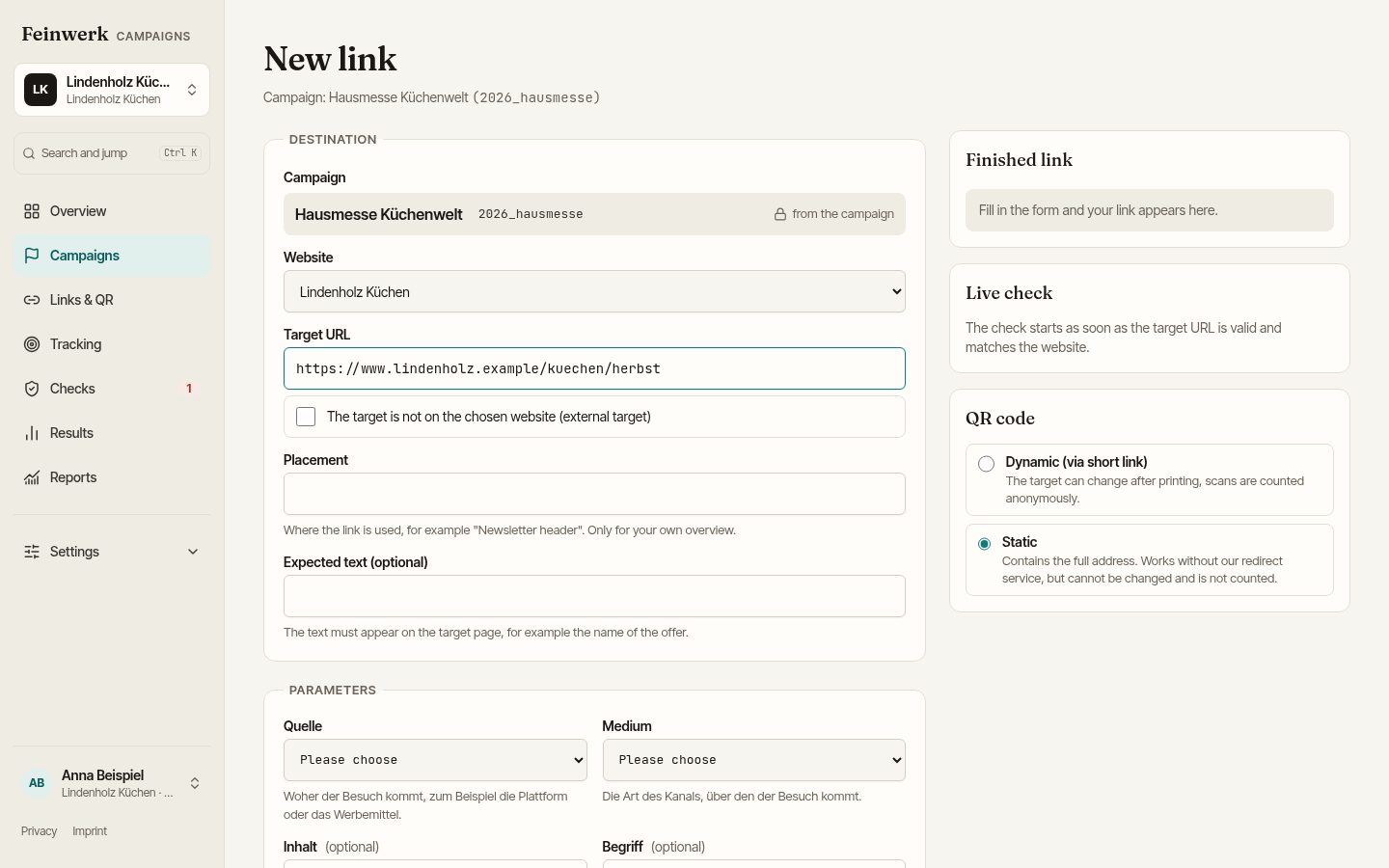
Before the printer starts, the landing page of every link has already been checked: reachability, the whole redirect chain, whether the parameters are still attached at the end, certificate and response time. The browser check also shows whether Matomo counts on the landing page with the right site ID. No visits appear in your statistics.
A static code cannot be changed after printing, and scans are not counted. Dynamic QR codes Coming soon , whose destination stays changeable after printing, and short links Coming soon will follow.
What you can measure and prove
- Which medium worked: with Matomo you see visits and conversions per link and placement, so separately for poster, flyer and roll-up.
- That it was checked before printing: every link shows the result of its latest check. If the destination changes, it is checked again and the change is recorded in the history.
- Print as a channel of its own: the medium
printbelongs to the channel Print, so all printed material sits together in the report.
Next step
How companies run their campaigns across all channels is described on the page For companies. Size, quiet zone and testing are covered in the guide Planning QR codes for print. To join the pilot, use the pilot page.