All articles
Getting started
Planning
Links
Guides
- UTM naming conventions for teams and agencies
- UTM parameters explained
- Campaign launch without broken links
- Planning QR codes for print
- Switch agencies without losing data
- Google Campaign URL Builder or a UTM builder for teams
- UTM links for agencies: running client campaigns cleanly
- UTM management: what it is and when a team needs it
Tracking providers: requests instead of e-mail ping-pong
A tracking provider implements what others want to measure: goals, events, pixels. The wishes come from the agency, from the company, sometimes from both, and almost always by e-mail. Whoever is meant to keep track of what is installed on a website and why needs more than an inbox.
The situation
Messbar Analytics looks after the tracking of Lindenholz Küchen. Nordlicht Media plans the autumn promotion and needs a goal for the contact form. The request arrives by e-mail, the follow-up question goes back by e-mail, and whether the goal is ready before the start is settled in a phone call on Friday afternoon.
What goes wrong
- Requests get lost. They sit in e-mail threads, without a status and without clear ownership.
- Nobody knows what is installed. A pixel from an earlier agency keeps measuring, and nobody remembers what for.
- Installed does not mean arrived. The event is installed but Matomo does not count it, and that surfaces only in the monthly report.
- The documentation ends with the contract. What the provider knew is gone when they leave.
How it works with Feinwerk Campaigns
The agency or the company creates a request from within the campaign: what has to be measured and on which website. You see all requests for the websites you are cleared for in one place. Every request carries its status: Requested, In progress, To test or Ready. Whoever asked sees without asking whether you are on it or whether it can be tested.
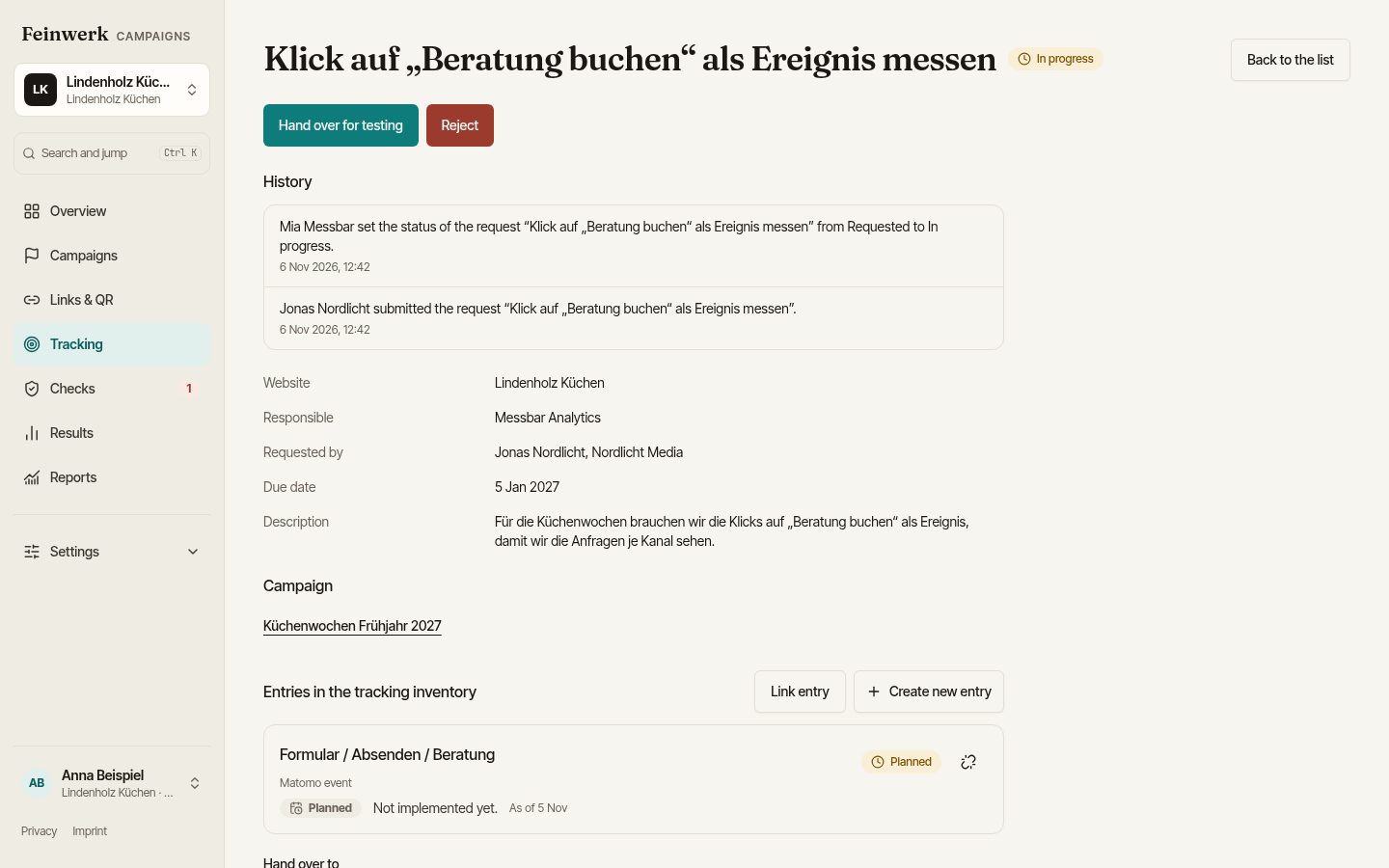
A request reaches Ready with a test description and at least one linked entry in the tracking inventory. That way every request becomes a documented entry. The inventory lists Matomo goals, events and third-party tags per website, with purpose, consent category and owner. You adopt existing tags from the Matomo Tag Manager without anything changing in Matomo.
Your access is narrow: tracking only, if requested only for individual websites. You do not see budget, costs and results of campaigns, nor briefing text and files.
What you can measure and prove
- Whether an event arrives: with Matomo, the arrival check compares installed events with what Matomo actually counts. "Installed three days ago, arrived zero times" stands out early.
- Whether the landing page measures correctly: the browser check reports whether Matomo counts with the right site ID, whether the tracking code is missing and whether it waits for consent.
- What you delivered: every request has comments and a history, and every entry shows who requested it. Your documentation stays in your client's workspace, even when the contract ends.
- That the launch is safe: open requests hold back the start of a campaign until an Admin approves an exception with a reason.
Next step
Who sees what and how you get access is described on the page For tracking providers. What has to be ready before a launch is shown in the guide Campaign launch without broken links. To join the pilot, use the pilot page.